In this post I would like to introduce you to Journaly, a super useful tool to help you learn and write better in Spanish or any other language.
If you have not heard about it yet, keep reading to find out more!
What is Journaly
Journaly is a language learning platform that helps you improve your language skills through writing.
It has been created by Robin MacPherson, a polyglot guy who speaks no less than 9 languages and who I recommend you to follow on YouTube and other platforms where he shares content about language learning. I have no doubts you will learn a lot from his own experience.
How Journaly works
The way this tool works is very simple. It’s like having a diary in which you can write about whatever you want and in the language you want, with the aim of practicing and receiving corrections and suggestions from native speakers and speakers of that language. Undoubtedly something very valuable and that will be very helpful to you if you study a foreign language.
Reasons why you should use Journaly: the benefits of writing in another language
Most of the time, when we talk about practicing languages, the first thing we think of is talking to someone in that language. There is no doubt that this is a great way to practice and learn, but it is not always possible. Either because we have no one to practice with, or because we don’t feel ready to have a conversation yet.
However, this does not mean that we cannot actively practice the language. There is one resource that is very useful and usually goes unnoticed: writing.
Writing in the language you are learning has many advantages, for example:
- You have more time to think or look up words you don’t know by heart. Yes, the translator is a great friend to all language learners.
- It is a less stressful way to learn. This is something to keep in mind, because sometimes, especially when we don’t know many words, we don’t feel ready to have a conversation with another person in that language. However, writing is a way to practice what we are learning from day one, without having to deal with the stress of speaking to someone in a foreign language.
- Practicing through writing gets your brain used to thinking in that language. This way, when you have to speak in that language it will be much easier and you will be more fluent.
- You can practice even if you don’t know anyone who speaks the language you are learning.
- You can re-read all the sentences you have written and learn from your mistakes.
As you can see, writing has many benefits when it comes to learning a language. Therefore, introducing a tool like Journaly into your study routine can be a game changer.
In addition to recommending you the act of writing itself, I also advise you to use Journaly because:
- It is very easy to use.
- You get feedback from native speakers.
- It allows you to gain fluency in the language you are learning.
- It makes it easier to write frequently, which will help you be more consistent.
- You can meet people with the same interests as you and learn languages together.
How to use Journaly: everything you need to know
Here are more details on how to start using this tool and what Journaly looks like on the inside, so you can better understand how it works.
Register
One of the best things about Journaly is that you can create an account and write anything you want for free. You simply need a username, an email address and a password – easy peasy!
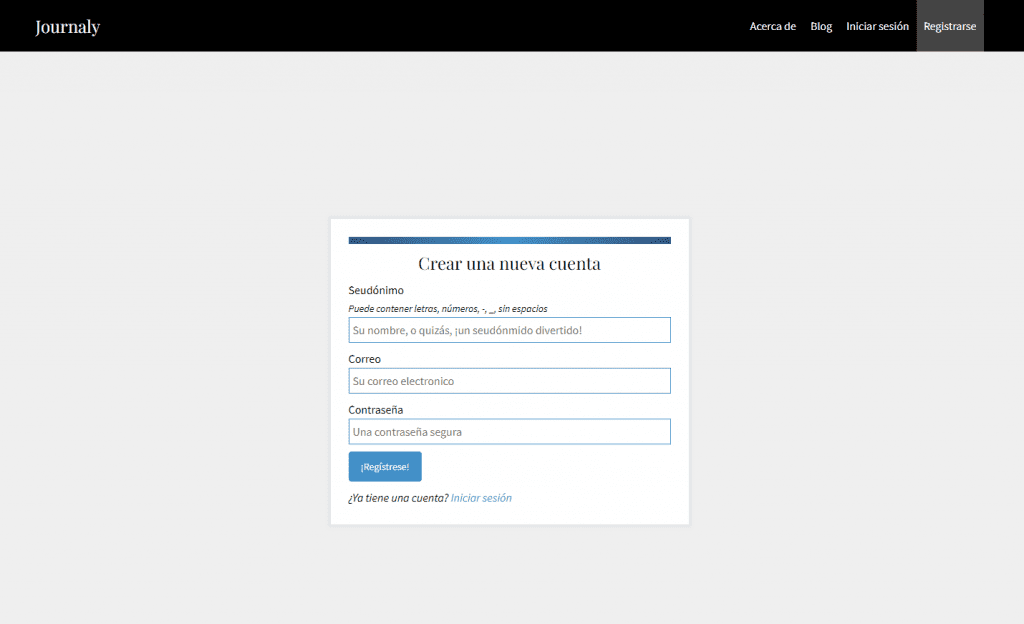
Once you have created your account, the next step is to complete your profile. You can add information about yourself, such as the languages you speak or learn and your level, a short bio, the topics you are interested in and would like to write about, and even links to your social media profiles.
Available languages
Another very positive aspect of this platform is that you can write in a large number of languages. There are more than 70 languages available, including some as popular as English, Spanish, Italian, French, German, Korean, Chinese, Arabic… but also others for which it is more difficult to find native speakers.
However, keep in mind that in the case of languages with more speakers it is easier to get feedback, since there are more people within the community and it is more likely that someone will correct your posts.
In fact, if you finally decide to use it to practice Spanish, you will see how you will receive a large number of responses, since there are many Spanish speakers using this platform.
Posts feed
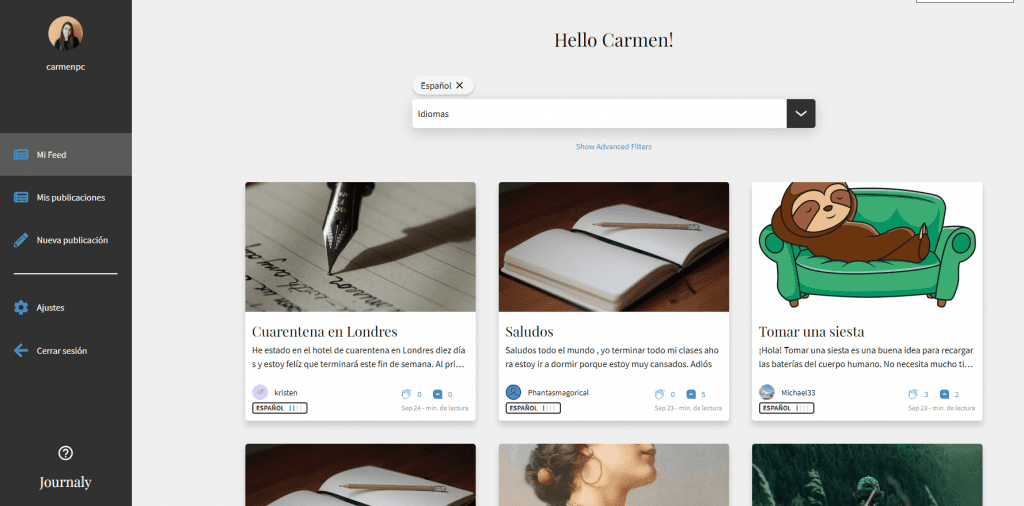
Every time you log in you will see the Journaly feed. On the left side you find a menu and on the main page, posts that other users have made.
You can filter by language or topic, or even search for a specific post. Perfect to help other people who are learning your native language or just read what other users have said about something that interests you.
How to write and publish a post
If you look at the image above, on the left side of the menu there is an option called “New post”. If you want to start writing a post, it is as simple as clicking there.
Once there, you have everything you need to start writing and putting into practice your Spanish or any other language, as you can see in the following image:
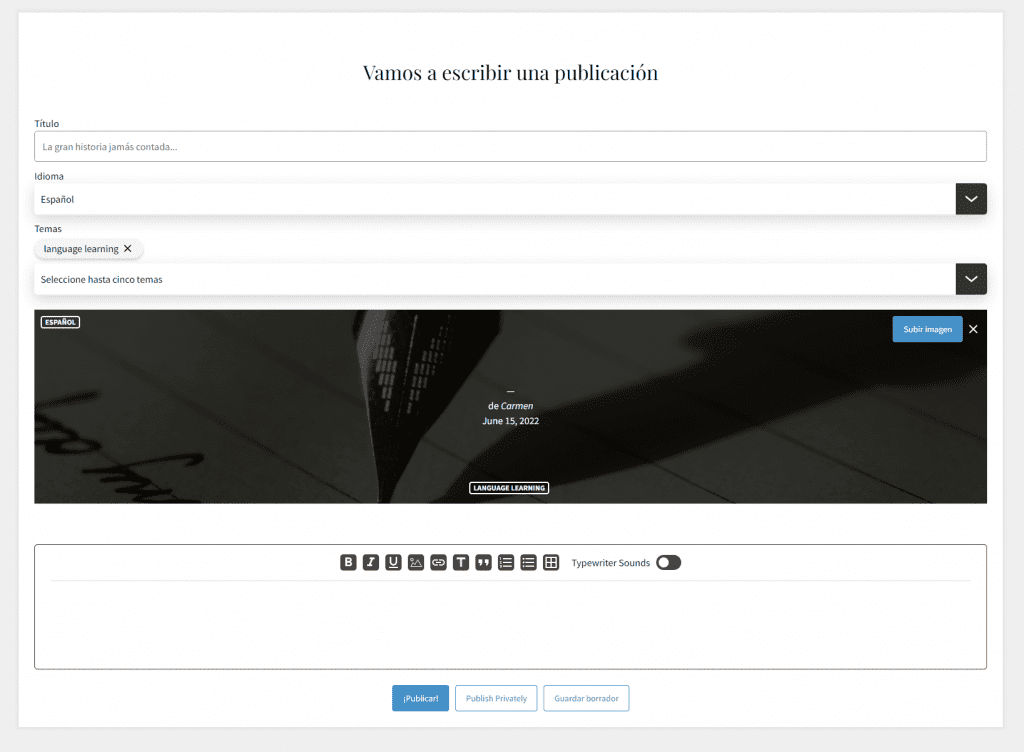
As you can see, you can choose the title of your post, the language you are going to write in, the topics you are going to cover in the text and even the photo you want to appear as the featured image of the post.
Below you find the text editor itself, in which you can write your post. This includes some functions such as bolding, italicizing, underlining, adding headings, quotes, lists or even tables.
Once you are done, simply hit “publish” and your post is ready to be read and receive feedback. You can also publish it privately or, in case you prefer to finish it later, another option is to save it as a draft.
Receiving corrections
As I mentioned before, receiving feedback on your posts is one of the most valuable things about Journaly. It’s a great way to see what mistakes you’ve made and correct them.
Not only that, but sometimes other users will explain why it’s wrong and give you suggestions to improve your texts and, therefore, your level in that language. Isn’t that great?
But how exactly do these corrections work? Well, once your post has been published, other users will be able to read it and give you feedback.
When this happens, you will receive a notification, usually in Journaly but also by email.
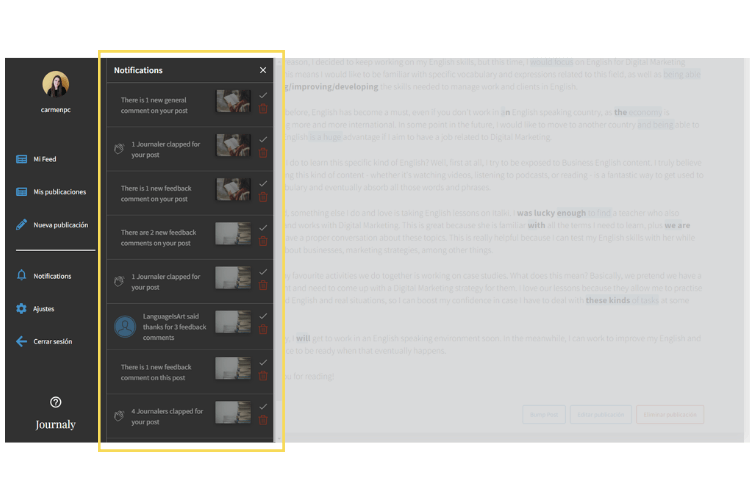
If you click on these notifications, you will be taken to the posts that have received feedback. This way you can see all the corrections your post has received.
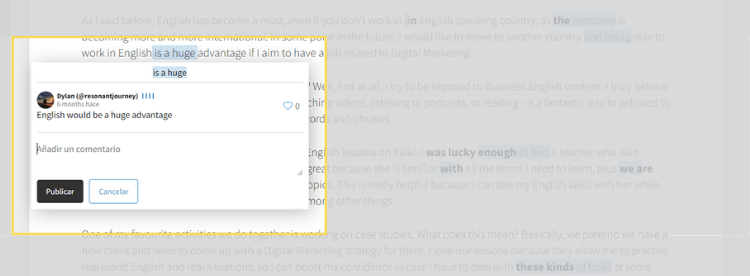
Every time a user makes a comment, the part of your text that could be improved is highlighted in blue. If you click on this blue area you will be able to see more details about the correction, such as: who made it, when and the indications they want to leave.
This is very valuable since we often do not understand the mistake but the person who corrected it explains it to us.
Tracking your activity
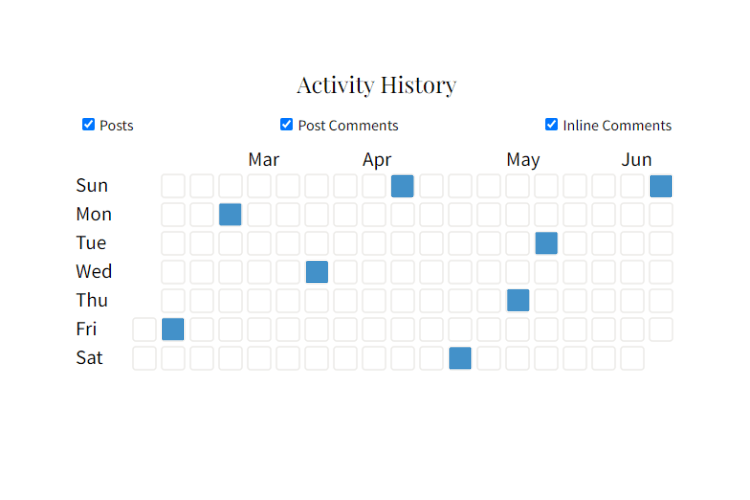
Another thing I really like about Journaly is the tracking section. Being consistent is not easy, but consistency is something fundamental in language learning. To make it easier, Journaly includes a tracking features of your activity.
This way you can see which days you have practiced and thus help you write more often, which translates into more practice and improvement.
How much does Journaly cost
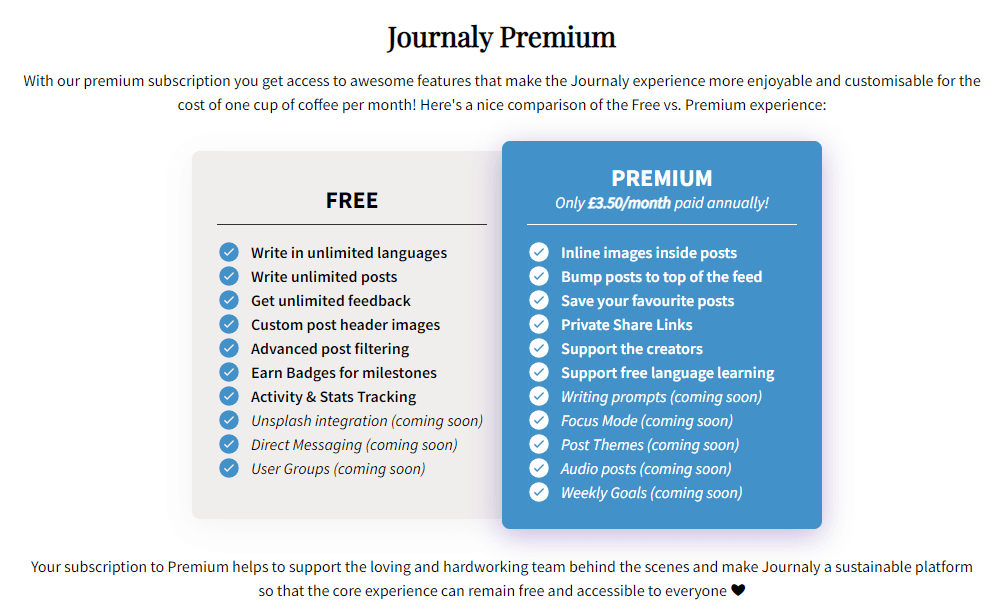
As I said at the beginning of the post, one of the best things about Journaly is that you can use it for free. Its free version allows you to make as many publications as you want, in any of the available languages and get feedback from other users, among other things.
However, it also has a premium subscription starting at $3.50 per month that includes extra features. For example, you can include images within each post, show your publications at the top of the feed, save your favorite posts, share private links and some more that they want to add in the future.
In short, the premium version makes the experience of using Journaly more entertaining and personalized.
Not to mention that thanks to the payment of this subscription you are supporting its creators to make language learning through this platform free and accessible to everyone.
Conclusion
To sump up, Journaly is a fantastic tool to improve writing in a foreign language, that will help you boost your fluency in that language itself. And who knows, if you dare to use it to write in Spanish, maybe I will see your post and correct it to help you.
Did you know Journaly? What do you think of it? Leave your opinion in the comments!